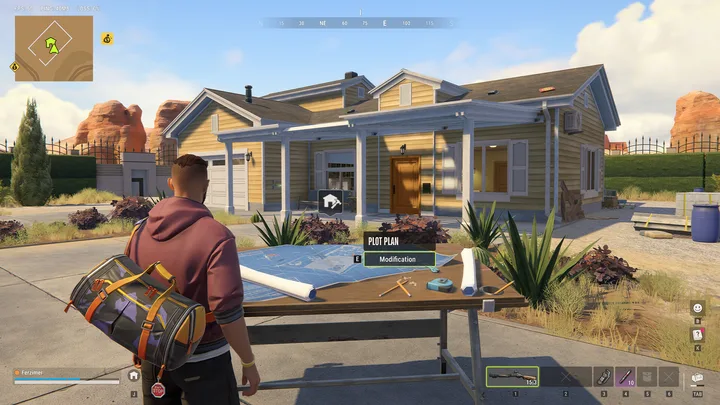
ROB RUN base building starts with eligibility for land, not a layout drawn in an empty field. The plot, settlement and facilities have different requirements. This guide connects those steps and gives you a practical order for deciding what your first base should do.
There is no universal cheapest blueprint or invented material list here. Check actual purchase and placement requirements in your game. The aim is to avoid paying for a base that cannot yet support the activity you wanted.
Rent a valid plot before planning the building
Kefir says a base can be established only in a settlement that has an owner. Locate a vacant plot and use the sign beside it to pay rent. A visually empty piece of land is not necessarily an available plot, and availability alone does not prove your character meets every requirement.
Start by checking the settlement and the plot information. Decide what the base needs to support and how you will travel there. Use the settlement and land guide if you are confusing renting one plot with purchasing the settlement itself.
- Find a settlement with an owner.
- Locate a vacant plot and inspect the sign next to it.
- Read the requirements and rent before committing.
- Confirm the plot is yours to use before buying a collection of facilities.
Check district requirements and access to goods
Kefir’s First Changes & Server Schedule announcement changes Tier 1 settlement purchases and plot rentals from cash to documents. Read the rental sign for the exact requirement; documents are not limited to higher-level land.
Plots in level 2 and level 3 districts require special documents from the Black Market. Do not interpret a failed rental as a construction bug until you have checked the district level and the documents involved. A price is not the only condition for progressing into another area.
Goods also have access conditions. The Shipments tab can be opened with H or through the side menu in the desert, Lenny’s Motel or Looty Bay. Kefir describes unlocks tied to settlement level or accumulated jail time. Inspect the requirement for the particular item you want instead of assuming all facilities unlock together.
Place structures, workbenches and safes around the job
The official Steam description identifies structures, workbenches, safes and vehicle storage as parts of a hideout. Once your plot is available, choose the particular structure or facility for the task you want to support rather than buying an unrelated collection of objects.
Use the current item or building interaction and read its placement requirements. Before confirming, consider whether the location leaves access to the storage, desk or vehicle interaction you intend to use. These are practical layout checks; a specific key binding or footprint should come from the game interface, not a guessed blueprint.
- Confirm the plot and the facility you intend to place.
- Read the current item and placement requirements.
- Check access to the interaction point and the other facilities you need.
- Complete placement using the live prompts, then test the intended task.
Choose the first facility around a real task
A first base is easier to budget when it has one clear purpose. If you need a place for stolen goods, focus on storage and the risks around it. If you want to protect cash, work backward from the bank account and Laundering Desk prerequisites. Production is another possible activity with its own setup.
This is a suggested decision order, not a mandatory building tree. Check what the live placement menu permits, what the item costs and whether a prerequisite is missing before you buy several upgrades at once.
| Your goal | What to verify first |
|---|---|
| Store goods | Plot access, available storage and raid exposure |
| Launder cash | Civilian bank account and a usable Laundering Desk |
| Produce goods | Access to the required facilities and inputs |
| Own a vehicle | A qualifying house or garage and key storage |
| Unlock goods | Shipments requirements for that exact item |
Build defenses alongside storage
A base stores value, but it can be raided. Security System fuses increase the attacker’s resource and time commitment, while defense modules can alert allies to an attack. Those systems are reasons to consider defense when adding valuables, not only after a first loss.
Do not call a base unraidable because it has a door or a Security System. The Decoder guide explains temporary access, and the attack and defense guide covers how to think about an active breach. Protection depends on the particular system and the owner’s response, not on a label in a building plan.

Connect the base to the routes you actually use
Consider the journey between the base, city services and your regular activity. A location that looks appealing on the global map may still be inconvenient for your own routine. Walk through a complete loop: leave the base, perform the task, return, store or process the result.
Keep this evaluation grounded in completed trips. Count avoidable backtracking and the supplies needed for those journeys. The game does not need to publish a perfect coordinate for every playstyle for you to notice whether your base supports the activity you repeat.
Review purchases before a larger commitment
Before expanding, check whether the current setup is being used. A facility with no inputs or a vehicle upgrade without the relevant ownership setup does not solve an immediate problem. Expand where the existing loop is constrained, and leave room in the budget to replace the equipment used to earn.
The Federal Raid resets bases and plots. Plan a useful setup for the current cycle and keep the knowledge of its requirements for the next one. Do not mistake the time spent constructing something for a promise that it persists indefinitely.
- Check plot eligibility, district level and any required documents.
- Read the exact Shipments unlock for a planned purchase.
- Connect the facility to the task it is meant to support.
- Review raid exposure before concentrating more valuables.
- Understand reset rules before investing the whole balance.
Base Building FAQ
01Why can I not build on an empty plot?
Check whether it is a vacant rentable plot in a settlement with an owner. Also check district-specific document requirements; visual emptiness alone is not the whole eligibility test.
02Do I own the settlement after renting land?
No. Renting a plot gives you a place for a base. Settlement ownership is a separate purchase and income system.
03Where do I check facility unlocks?
Open Shipments with H or from the side menu in the supported locations. Read the requirements for the actual item; some depend on settlement level or jail time.
04Does base storage make stolen goods safe forever?
No. Other players can raid bases, and Federal Raids reset base assets. Storage, raid defense and reset retention solve different problems.
Sources & useful references
Game rules below are linked to their official references. Tactical suggestions in this guide are practical advice, and do not promise a particular payout or outcome.